Raw Recovery with ‘Oloneo Photo Engine’

Yesterday I presented a somewhat older panoramic image from 2006. Usually I don’t need that much time to reach a result which matches my vision. My standard workflow for panoramic images starts with loading all the files in the raw converter. I choose a common white balance for all images and unify exposure, shadows, and other parameters which have to be identical among every source image. After stitching I got the following result:
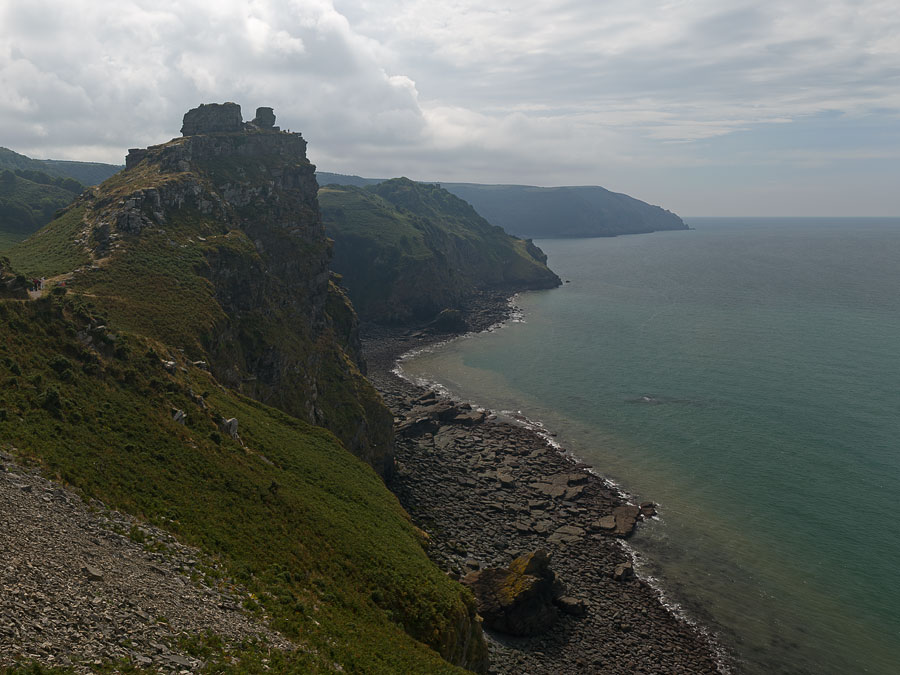
Castle Rock near Lynton (Devon, England)

Only global exposure set in raw converter

I was really disappointed. In my imagination the view just was stunning. But what I saw on the screen was really dull and boring. I tried to achieve a better result with adding masks and doing some dodging and burning, but I didn’t reach my goal of a spectacular image. So I left the files on the harddisk and they were buried in oblivion.

Recently I purchased Olonoe Photo Engine in order to use it for my high dynamic range workflow of spherical panoramas. Independently of that fact, I was recently crawling through the sphericals of our website and I stumbled upon the panorama PanoTwin Jürgen shooting Castle Rock. So I browsed my database for the images and found the long forgotten files of Castle Rock on my hardddisk. Immediately I realised that this image is a good candidate for the mode ‘raw recovery’ of Olonoe Photo Engine. So here is the result after playing a bit with the parameters:
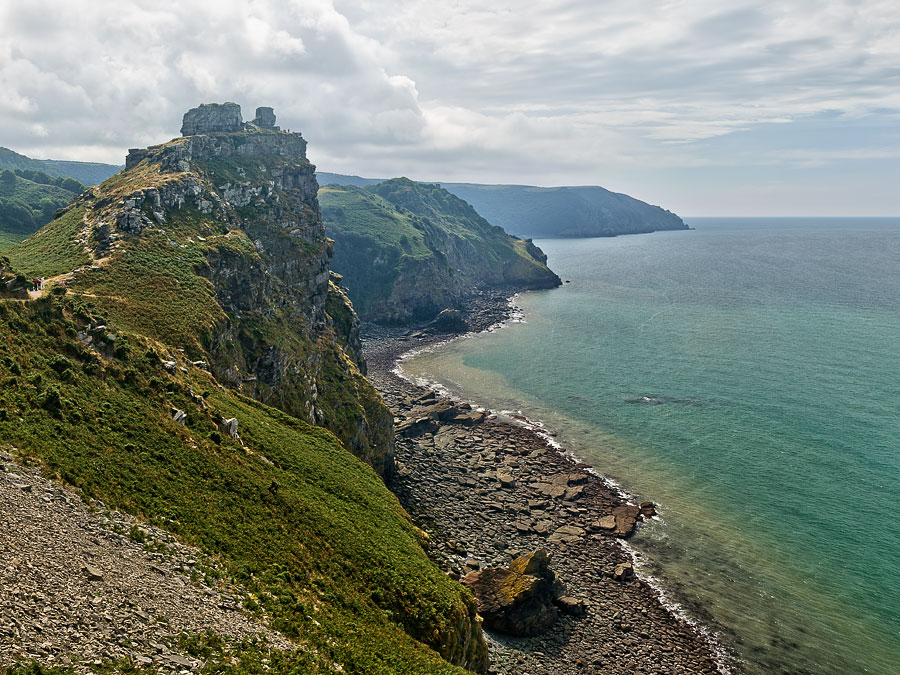
Castle Rock near Lynton (Devon, England)

Raw recovery applied in Oloneo Photo Engine

So I choose the ‘raw recovered’ image as new base image of my tweaks. Again I applied some dodging and burning, but now the image matched my vision when I was standing at the coast of Lynton and looking towards Castle Rock. And this is the final result:
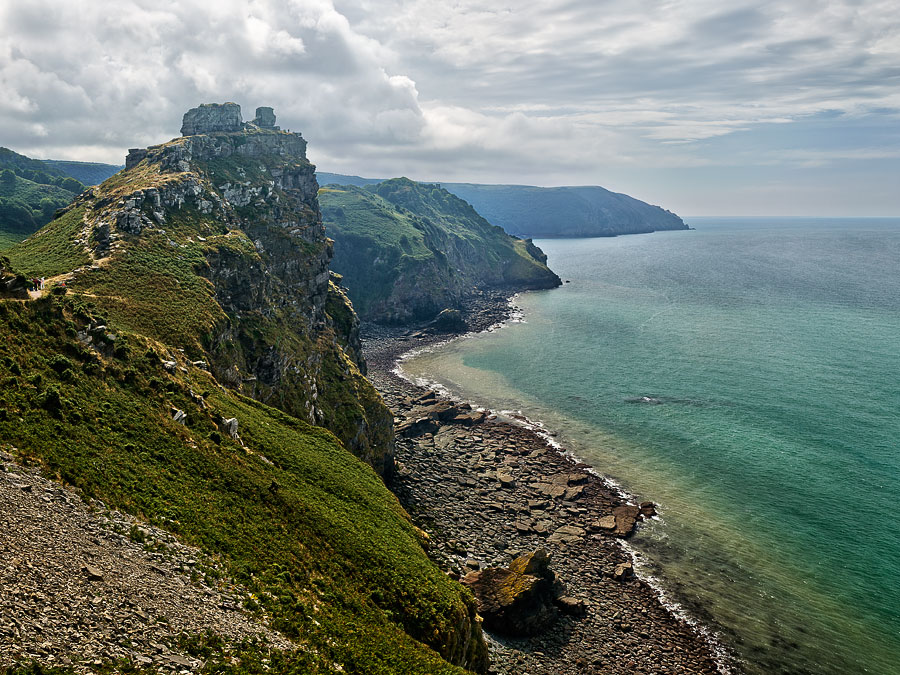
Castle Rock near Lynton (Devon, England)

Final image after tweaking in Photoshop

As Olonoe Photo Engine is capable of processing TIFF images with a bit depth of 16bit, be sure to start your panoramic imagery with images in RAW mode of your camera. And for best results stick to a full 16bit workflow.

Camera Maker: KONICA MINOLTA
Camera Model: DYNAX 7D
Exposure Time (sec): 1/500
F-Number: 5.6
Focal Length (mm): 28
Lens: Minolta 28-70mm/2.8
ISO: 100

Geotag Icon Show on map

About juergen

PanoTwin Jürgen → My Google+ Profile
This entry was posted in Pano Rectilinear Projection, Technical and tagged , . Bookmark the permalink.
Related Posts
Panotwin Jürgen shooting Castle Rock near Lynton.

READ MORE
White Easter in Bad Hindelang.


READ MORE
While taking a little hike near Lynton I took this panorama.


READ MORE
I recently visited the Nymphenburg Palace in Munich. Of course I took some spericals. Here is one of them.
READ MORE
This post shows a panorama of the subway station Candidplatz.

READ MORE
This stereographic reprojection shows the Oktoberfest from the Bavaria statue.


READ MORE
In 2008 Munich celebrated the city's 850th birthday with lots of events and big parties throughout the year.

READ MORE
This image shows a reprojected version of this panorama.


READ MORE
PanoTwin Jürgen shooting Castle Rock
White Easter in Bad Hindelang
Castle Rock near Lynton (Devon, England)
Outside Nymphenburg Palace (Munich)
A colorful subway station (Candidplatz, Munich)
Reprojected Oktoberfest like Bavaria sees it
Munich celebrates it’s 850th birthday (pole vault)
Reprojected WWP International Year of Forests

Leave a Reply

Your email address will not be published. Required fields are marked *

You may use these HTML tags and attributes: <a href="" title=""> <abbr title=""> <acronym title=""> <b> <blockquote cite=""> <cite> <code> <del datetime=""> <em> <i> <q cite=""> <strike> <strong>